
It’s normal for writers to produce sentences that feel awkward or make no sense. The sentences do more harm than good, as they can sometimes mask even the strongest ideas.
According to a study, around 60% of readers leave the page if they find the text too complex. This shows the importance of clarity in your sentences. It directly affects the engagement of the readers with your content. Addressing weak or awkward sentences early in editing ensures that your writing presents your ideas effectively. Also, it keeps the readers engaged from start to end.
But how can you fix weak or awkward sentences easily? This is what I’ll help you learn in this blog. I’ll share some practical tips that can help you identify problematic sentences and improve them.
Tips to Strengthen Weak or Awkward Sentences
The following are some of the most useful tips to improve your weak sentences and make them impactful.
Identify and fix sentences that try to carry too many ideas
When you try to explain too many ideas within a single line, it makes it hard to understand the main point. Readers may need to read the sentence multiple times to understand the point you are trying to convey.
For example,
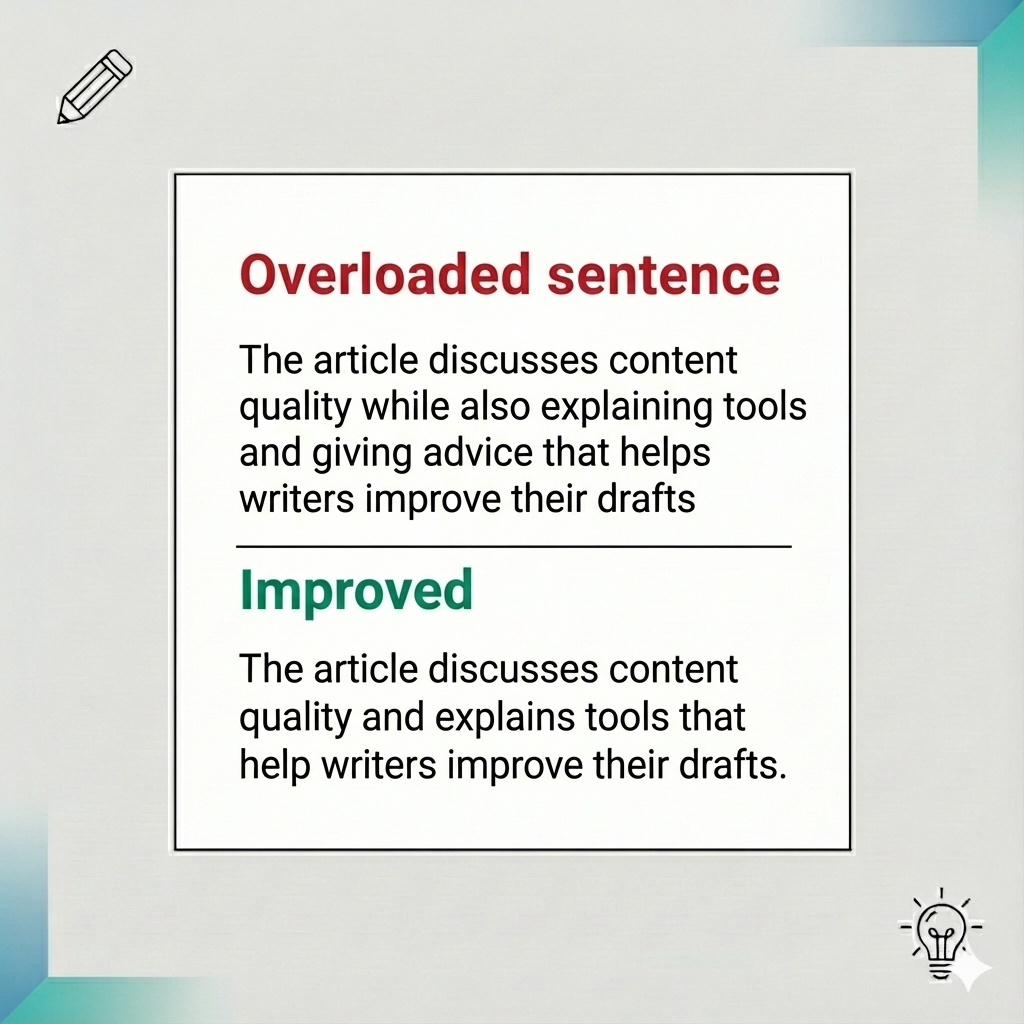
In the above image, you can see that the first sentence feels overloaded. If you find such sentences in your draft, decide which ideas matter the most and remove the rest. Also, if a sentence keeps adding details without a pause, break such a sentence into shorter ones. It can smooth the flow and make the sentence easy to understand.
Add clarity and avoid general words
Unclear wording makes the sentences weak because the readers can’t understand the meaning clearly. Instead, it forces the readers to guess the meaning. Avoid using words like very, good, bad, things, or stuff. These words often give vague explanations rather than a strong meaning. You have to use specific words that clearly explain what you mean. It removes confusion and helps the readers understand your point.
For example,
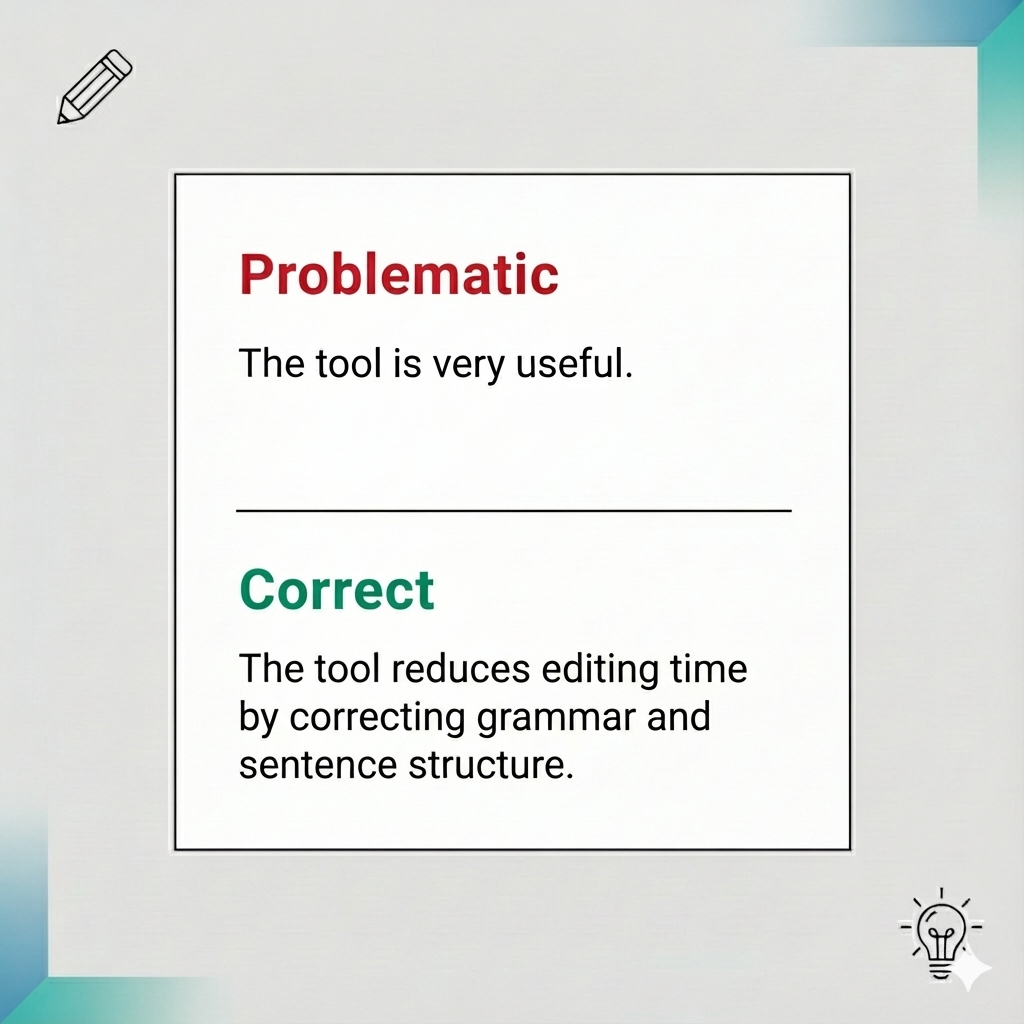
You can see that the first sentence doesn’t actually explain how the tool was helpful. Whereas the second sentence is clearer and explains the specific ways in which the tool offers help.
Communicate clearly with active voice
Writing in a passive voice might give your words an unclear tone. This is because it hides the person who is carrying out the action. So write in an active voice to address this since it brings the subject forward and clarifies the message. This makes a great difference in how your ideas are perceived by the readers.
For example,
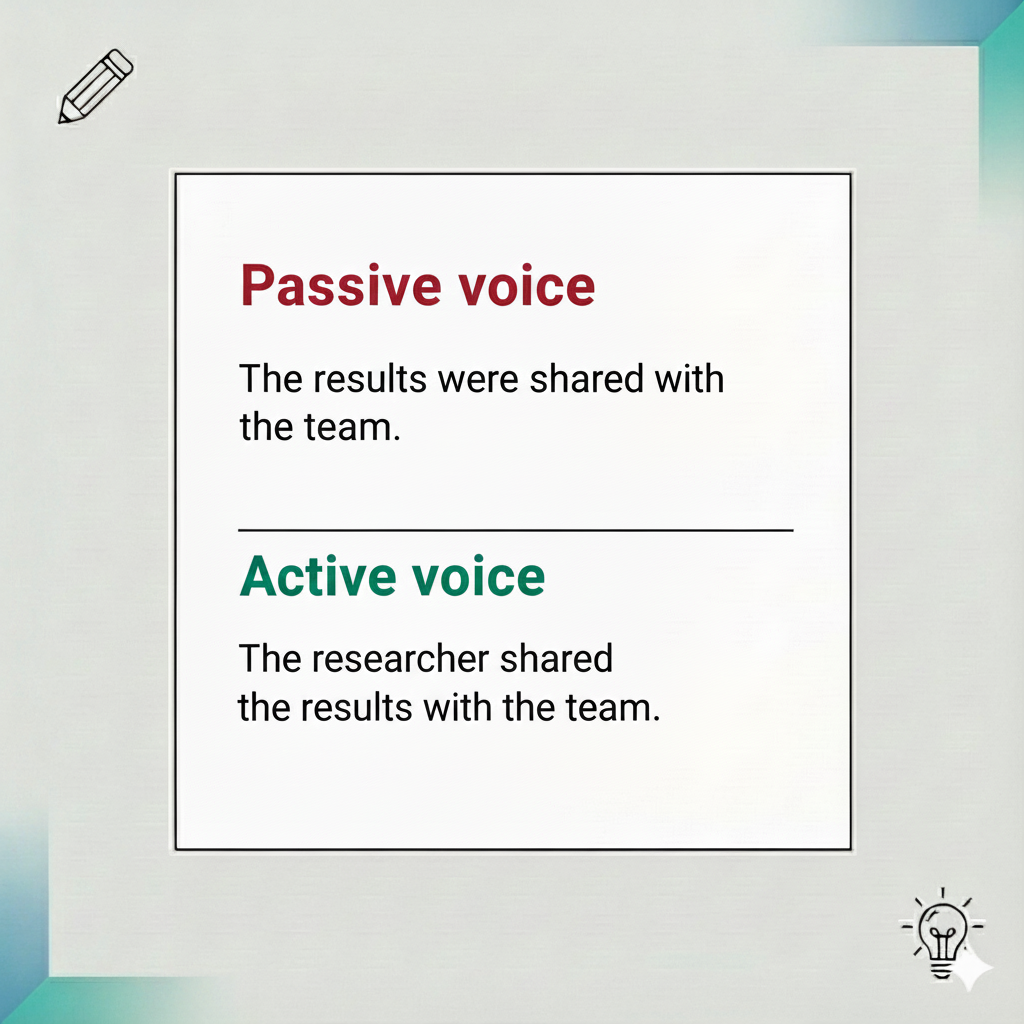
In the above example, the first sentence seems ambiguous because it doesn’t state the subject. Whereas the second one seems clear. It is written in the active voice and clearly defines the subject.
Remove unnecessary filler words
While drafting, you might include filler phrases that feel natural. But they often add no value when someone reads your text. These phrases may slow down the reading pace and make your sentence less impactful.
The following are some commonly used filler phrases.
- It is important to note that.
- There is a chance that.
- In order to.
Removing these phrases makes your sentence sharper and easier to read.
For example,
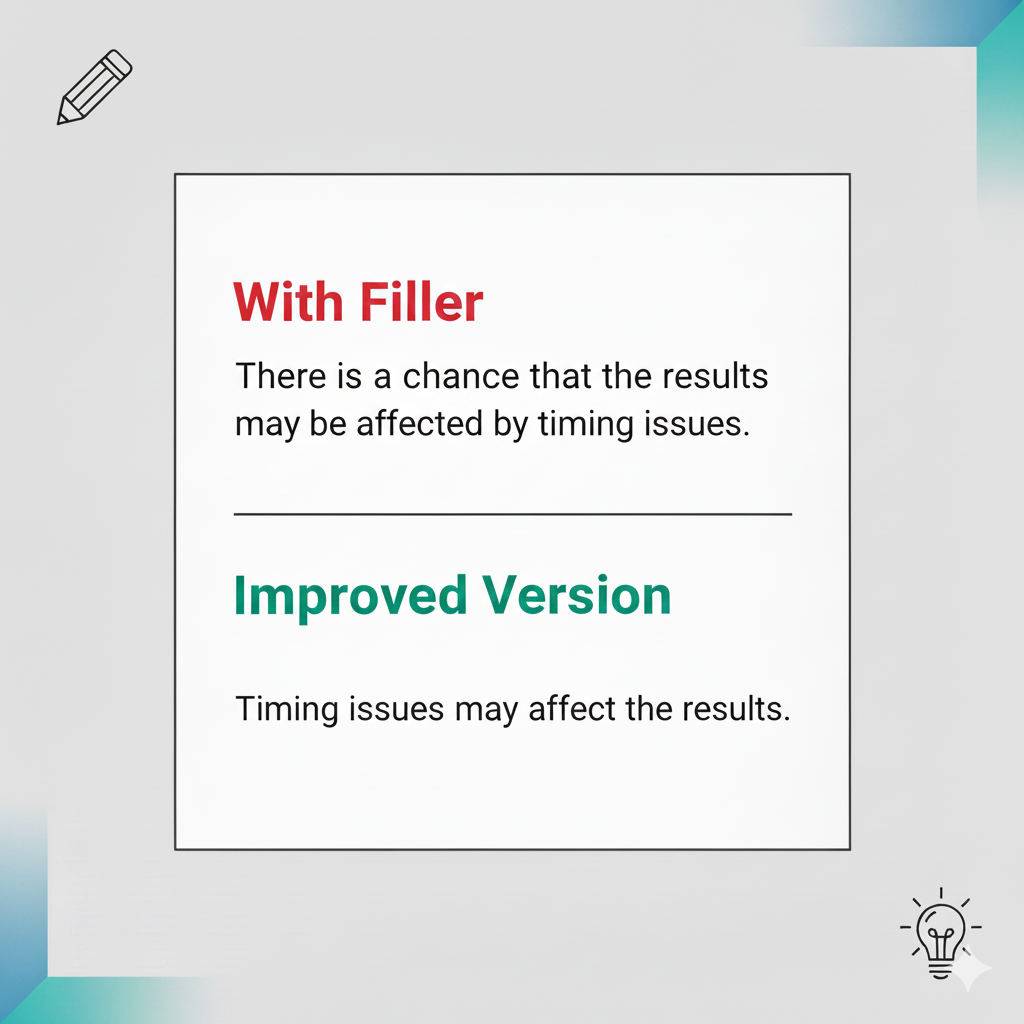
From the above image, you can see that removing the filler words improves the sentence’s clarity without changing the meaning. This can easily turn a weak sentence into a sharp one.
Rewrite sentences that feel structurally broken
Some sentences cannot be fixed by minor edits. This is because their structure is confusing, or the words are awkwardly arranged. Rewrite such a sentence from scratch, as it is more effective than making small changes that may still leave it unclear.
For example,
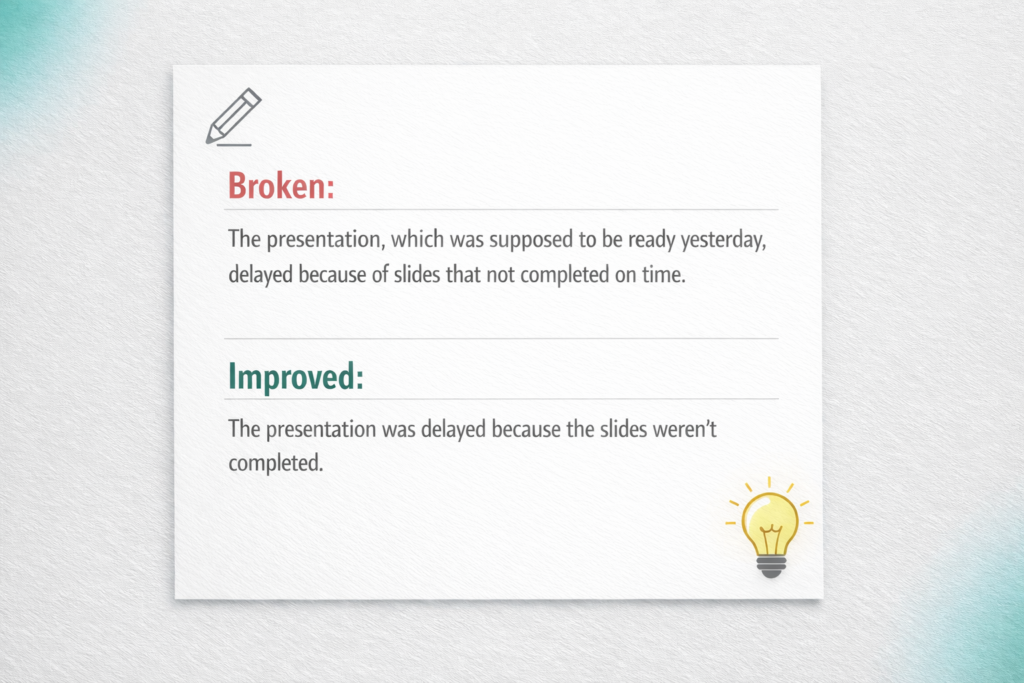
In the above image, you can see that the rewritten text fixed the structure and removed extra words. So the sentence became easier to read and flowed naturally.
Test alternative phrasing during revision
Even after shortening phrases and rewriting sentences, some sentences may still feel awkward. Such sentences often give you a hard time when you’re editing or proofreading the final draft. Although they may be grammatically correct, they can still sound unnatural or hard to read. In such cases, AI Sentence Generator effectively supports writers in refining their sentences. It offers multiple variants of a sentence to present the same idea in new ways, as shown below:
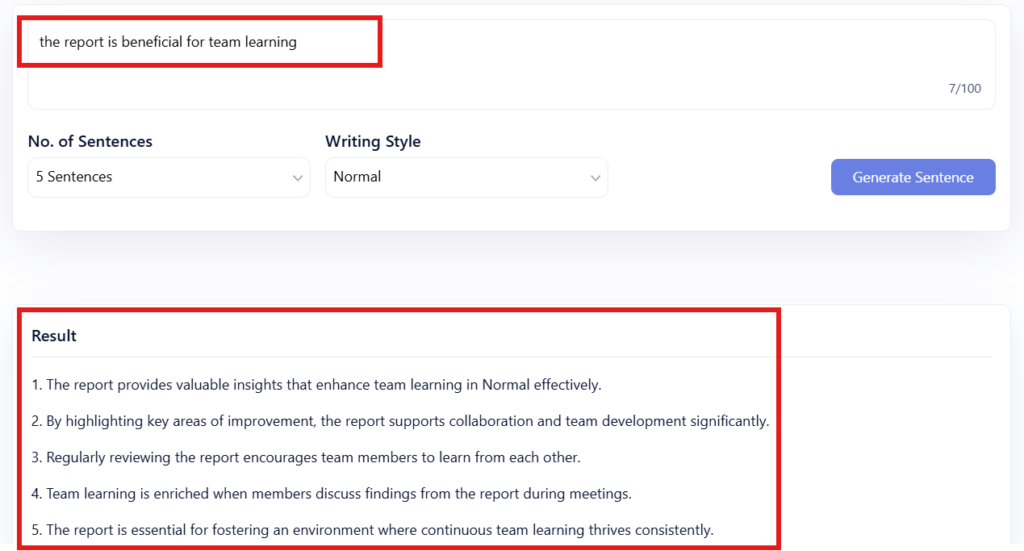
The tool gave 5 different variants of the given input. Every version has different wording, yet the basic concept stays the same. You can compare them and choose the version that best meets your requirements. This way, you can improve the sentences in your draft and make your overall writing impactful.
Summing Up
It is pretty normal to write some awkward sentences while drafting. They usually appear where ideas are rushed, and the wording is not clear. You have to spot such sentences that are overloaded with ideas. Change the general wording and mention the specific wording that explains the idea better. Reduce the use of passive voice. Instead, use the active voice to make the sentences easy to understand.
If sentences don’t feel smooth even after editing, rewrite such sentences. This way, you can take a fresh start and present the idea more clearly. You can get help from online tools to get multiple variants of sentences and select the one that fits your context.
By following the above tips, you can fix weak or awkward sentences in your draft. While there are more techniques available, these tips are enough to make your sentences more impactful.