
Paper documents are part of our daily life. Offices use printed forms, invoices, and reports. Students work with handwritten notes and printed books. At home, we keep records and letters.
However, when these files pile up, storage runs out. It can become difficult to find a single document from stacks of papers, especially when you need a document urgently. Also, paper documents are uneditable. When you want to edit or remove a detail, you have to rewrite the whole thing again. This takes time and can lead to errors.
Converting paper documents into digital text makes them searchable and editable. They can be saved on your computer, shared, and reused without retyping. But how can you convert your paper documents into digital text quickly? This is what I’ll help you learn in this blog. I’ll share an easy method that anyone can use to make documents editable in a few simple steps.
Why Convert Paper Documents into Digital Text
There are many practical reasons to turn paper into digital text. Some of the most common ones include:
- Paper documents can fade or tear
- Physical files take up space and are harder to organize
- Searching printed pages feels more challenging than searching digital text
- Rewriting content increases the chance of mistakes
- Digital text can be edited and reused instantly
- Sharing digital text files is easier and faster
How to Convert Paper Documents into Digital Text
There may be multiple methods available online to convert your paper documents into digital text. I’ve selected an easy method to show you, as explained below.
Using an Online Image to Text Converter
This method uses an OCR (Optical Character Recognition) tool that extracts text from images. These tools can also process handwritten text and convert it into editable, searchable digital text. Also, this method works directly in a browser without requiring you to download anything.
To demonstrate how you can use such a tool, I’ve selected imagetotext.cc, which I found effective and easy to use during my testing. The following are the practical steps to use this tool.
Step 1 – Capture a clear image of the paper document
Position your paper document on a flat surface and capture a clear picture. Make sure that the lighting is good. Take a steady image of the paper document and make sure that the text is clearly visible. It’s easy for the tool to detect and extract text from clear images.
Step 2 – Upload the image to the tool
Open the tool in your web browser. Click on the upload option and select the image file from your device. Some tools allow users to upload and convert multiple images at once, like the one I selected for this demonstration allow uploading up to 5 images at once.
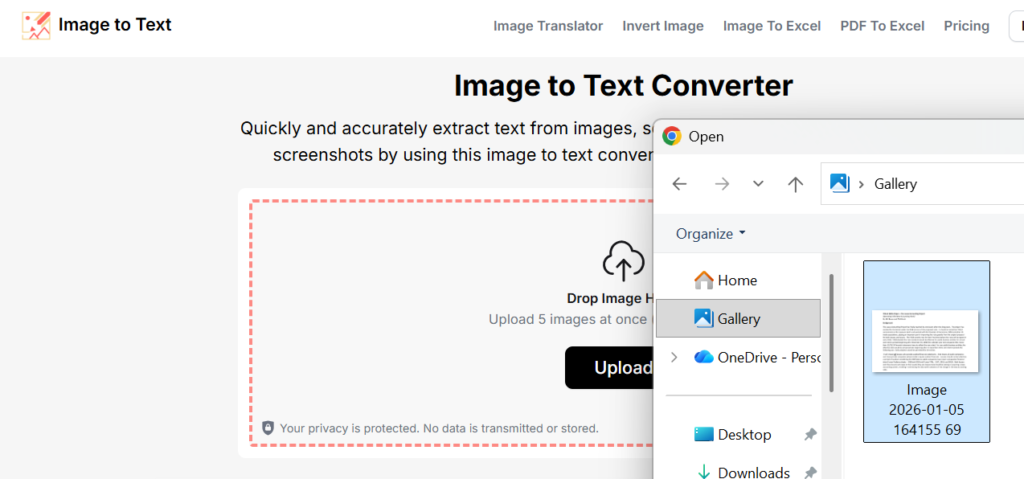
Step 3 – Extract the text
Click on the “Convert” button. The tool processes the image and detects the text within seconds.
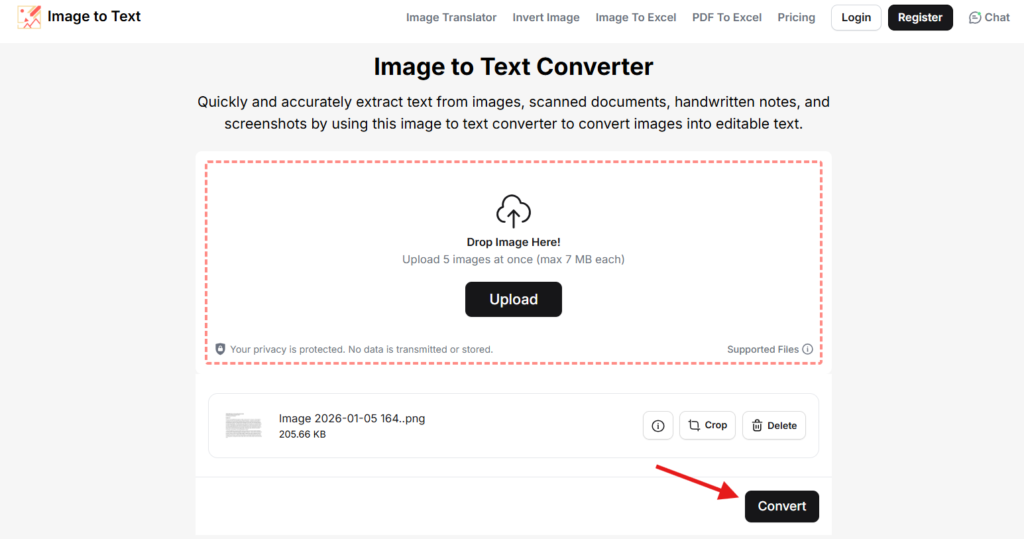
Step 4 – Review and copy the extracted text
Once the tool processes the text, the extracted text appears in the output box.
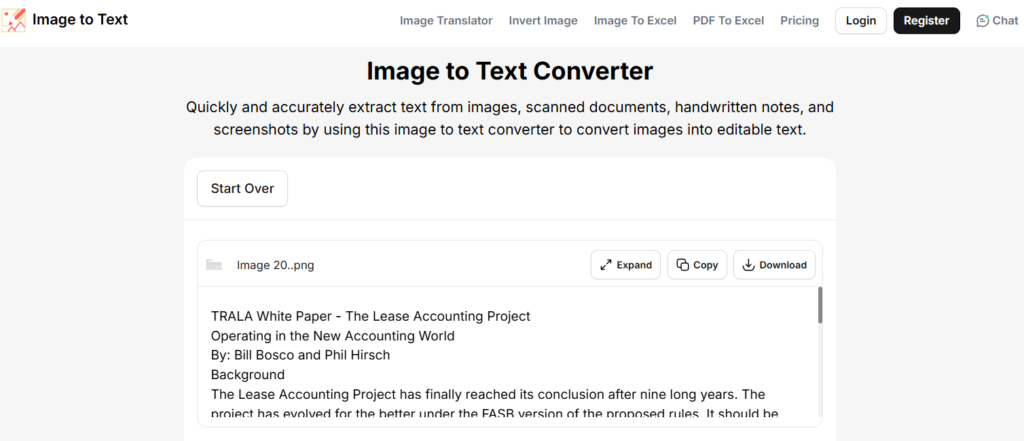
Proofread the extracted text for any small errors. Though OCR is generally accurate, minor issues may still occur due to bad image quality or unusual fonts.
This is how you can turn your paper documents into digital text using an online Image to Text converter. The extracted text can be edited or copied without retyping.
Summing Up
You may often find yourself in situations when you need to convert your paper documents into digital text. It helps you search for information easily, and it can be generally more convenient to work with digital data, as it dont require you to organize piles of papers or worry about their durability.
To convert your documents into a digital format, you no longer always require expensive scanners. You can utilize simple online methods. One such method is by using an online OCR tool. These tools allow you to convert your documents into digital text within a few seconds.
I’ve shown the simple steps above to use such a tool for turning your paper documents into digital text. This approach saves time, reduces manual effort, and makes document handling easier across daily tasks.